New Horizons
 Project Management Academy
 Six Sigma Online
 TCM Security
 TRACOM
 Velopi
 Watermark Learning
 Login
Login

Windows Evidence Acquisition & Triage
Make the right evidence acquisition call under pressure and run defensible, targeted triage collections with KAPE, from live response to memory and disk imaging.
Training for a team or organization? Contact us about group access.

Inside the Course
Scroll down to explore the skills you’ll build, the techniques you’ll master, and the requirements to get started.
-
 Difficulty: Beginner
-
 Duration: 3h
-
 Access: Included in Membership
Overview
When an incident hits, the first decisions an examiner makes are the ones that determine what evidence will ever be recoverable. Power down the wrong machine and your ability to access its evidence is lost. Collect the wrong way and the artifacts you needed were never captured.
You will learn the strengths and limits of full disk imaging, targeted triage, and memory capture, and how volatility, encryption, system state, and time pressure decide which approach a scenario demands. The course then goes deep on the two skills you will use most: building a defensible acquisition plan, and running rapid triage collection.
This course builds directly on Introduction to Windows Forensics (Course 1), which introduced investigative methodologies and acquisition at a foundational level. Here those topics appear as decision drivers where they affect the collection you make.
Key Topics
- The Investigative Mindset
- The Digital Forensic Process
- Foundational Principals
- Understanding How Data Is Stored
- Sources of Digital Evidence
- The Windows Operating System
- DFIR Software and Hardware
- Evidence Acquisition
Objectives

Make Sound Acquisition Decisions:
- Explain how the method of acquisition shapes which artifacts can be recovered
- Sequence evidence collection by order of volatility and weigh volatility, encryption, system state, and time pressure
- Ground every decision in recognized standards
Collect and Triage Under Pressure:
- Enumerate the Windows triage artifact set and prioritize it under time pressure
- Run defensible, targeted triage collections with KAPE using Targets and Modules
- Write and validate your own custom KAPE Target
- Document a live collection so it stays defensible even though it changes the system
System Requirements
- Computer capable of running a Windows 11 virtual machine
- Recommended: 16 GB RAM, modern multi-core CPU, ~100 GB free disk space
- Virtualization software: VMware Workstation Player, VirtualBox, or Hyper-V
- Note for Apple Silicon users (M1/M2/M3/M4): This course is built around x86/x64 Windows tooling. Apple Silicon Macs run ARM and rely on emulation (via Parallels or VMware Fusion with Windows 11 ARM) to run the lab environment, which can introduce compatibility issues with some forensic tools. An x86/x64 Windows or Linux host is strongly recommended.
Prerequisites
- Introduction to Windows Forensics
- Basic computer literacy and comfort working in Windows
- Familiarity with the Windows command line or PowerShell
- No prior digital forensics experience required. The course is built for aspiring DFIR analysts, SOC analysts, IT professionals moving into security, and career-changers entering the field.
- Familiarity with running a virtual machine
Recommended For
Windows Evidence Acquisition and Triage is built for anyone who wants to develop practical, job-ready forensics skills on Windows systems. Whether you are new to DFIR or expanding your existing security skillset, you will leave with the foundational knowledge needed to start examining systems with confidence.
This course is well-suited for:
- Aspiring DFIR analysts
- SOC analysts looking to expand their skill set
- IT professionals moving into security
- Cybersecurity students and career changers looking to build their skills
Course Curriculum
-
Course Introduction
- Lab Setup
-
The Acquisition Decision Framework
- The Acquisition Methodology
- Live vs. Dead Acquisition
- Full Scope Acquisition
- The Order of Volatility
- Triage Acquisition
- Memory Acquisition
- Acquiring a Memory Image
- Disk Imaging
- Acquiring a Forensic Image
- Encryption Detection
- Checking for Encryption
- Documentation and Evidence Handling
- Quiz
-
Live Response & Triage Collection
- The Windows Triage Artifact Set
- Introduction to KAPE
- KAPE Targets
- Targeted Triage with KAPE
- Writing a Custom KAPE Target
- Write and Rune a Custom KAPE Target
- KAPE Modules
- KAPE on the Command Line
- Defensible Live Collection
- Quiz
-
-
Conclusion
- Course Wrap Up
This Course Is Included in Your All-Access Membership
One membership gives you ongoing access to Introduction to Windows Forensics, every other paid Academy course, and an active community of learners and mentors in Discord.
INSTRUCTORS
Meet Your Instructor
Learn from industry experts with real-world cybersecurity experience.

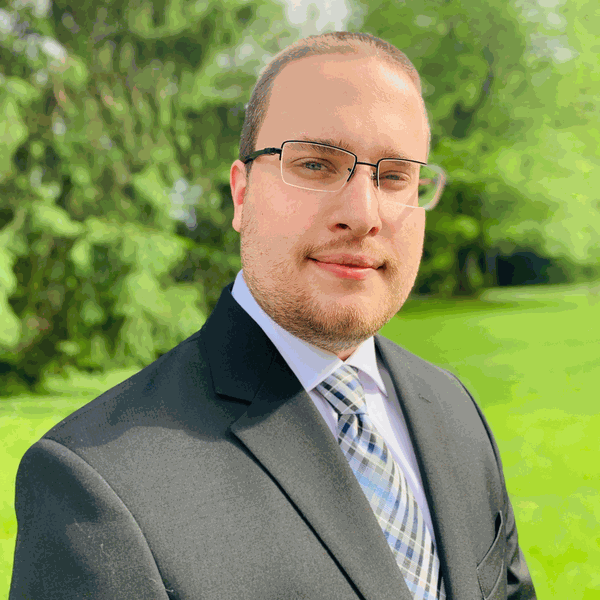
Andrew Prince
Andrew is a seasoned and passionate security professional who brings a wealth of experience in areas such as security operations, incident response, threat hunting, vulnerability management, and cloud infrastructure security.
With a professional background in development and system administration, Andrew offers a well-rounded perspective on his security strategy. Andrew also navigates both offensive and defensive operations to provide a holistic approach to keeping people, processes, and technology secure. He is also active in developing various Capture the Flag challenges, creating security training, and sharing knowledge through content creation.
FAQS
Common Questions
Here are a couple of our most commonly asked questions, contact us if you don’t find an answer!
Can I get a refund if I'm unhappy with my purchase?
Yes. All courses come with a 24-hour money-back guarantee.
Will I receive a certificate of completion when I finish a course?
Yes. All courses come with a certificate of completion.
Do the courses count as Continuing Education Units (CEUs)?
Yes. Every certificate of completion comes with the total CEUs earned listed on the certificate.
What is the All-Access Membership?
The All-Access Membership gives you access to every TCM Academy course, all labs, and new courses as they release, for as long as your membership is active. You can choose a monthly, 6-month, or 12-month membership.
What if you already own courses on TCM Academy?
You still own them. On July 1, 2023, TCM Academy moved from individual course purchases to a subscription model, with monthly, 6-month, and 12-month memberships. Every membership gives you access to the full catalog and new courses the day they release. Courses you bought before the switch aren’t affected.
I can see the course, but it won’t load or play. What should I do?
We use Cloudflare to protect our course platform and unfortunately, it does not play nice with VPNs. If you are experiencing issues, turn off your VPN and try again. If that does not solve the issue, please contact our support team at support@tcm-sec.com and we will help you out.
This course is included in our All-Access Membership, starting at $29.99/month.
Get full access to this course and our full course catalog when you enroll in our All-Access Membership.
RELATED COURSES
Continue Your Learning Path
Explore related courses that expand on the skills covered here.
Detection Engineering for Beginners

Introduction to Windows Forensics

Practical Malware Analysis & Triage

Ready to level up your Cybersecurity Career?
Get unlimited access to every TCM Security Academy course, hands-on lab, and certification pathway with an All-Access Membership. Learn at your own pace, build real-world skills, and take the next step toward a career in cybersecurity.